
Download KoolMoves – Animation Tool, Mobile App Creator, Interactive Content, Web Design, HTML5, GIF, SWF, Android App Export, jQuery Mobile, Jssor-slider, Clip Art, Text Effects, Animation Effects, User-Friendly Interface, Mobile-Friendly
Overview
KoolMoves is a productivity-focused mobile application designed to empower users to create rich, interactive content for websites. Targeted at both novice and experienced designers, the app serves as a comprehensive animation authoring tool that simplifies the process of producing professional-grade animations. Its core purpose lies in bridging the gap between creative vision and technical execution, enabling users to generate dynamic web content without requiring advanced coding skills. The app is particularly valuable for web developers, digital artists, educators, and small business owners seeking to enhance their online presence with engaging visuals. KoolMoves addresses common challenges in web content creation—such as time-consuming animation workflows and limited export flexibility—by offering a streamlined, all-in-one solution. With support for multiple export formats, including mobile-friendly HTML5 and animated GIFs, the app ensures content is accessible across diverse devices and platforms. The inclusion of an Android mobile app export wizard further expands its utility, allowing creators to deploy animations directly to mobile environments. Although the developer did not provide additional technical details, the app’s release on Android with a clear focus on animation and export versatility suggests a targeted approach to mobile-first web design.Key Features & Functionality
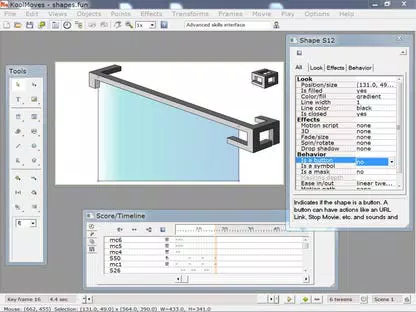
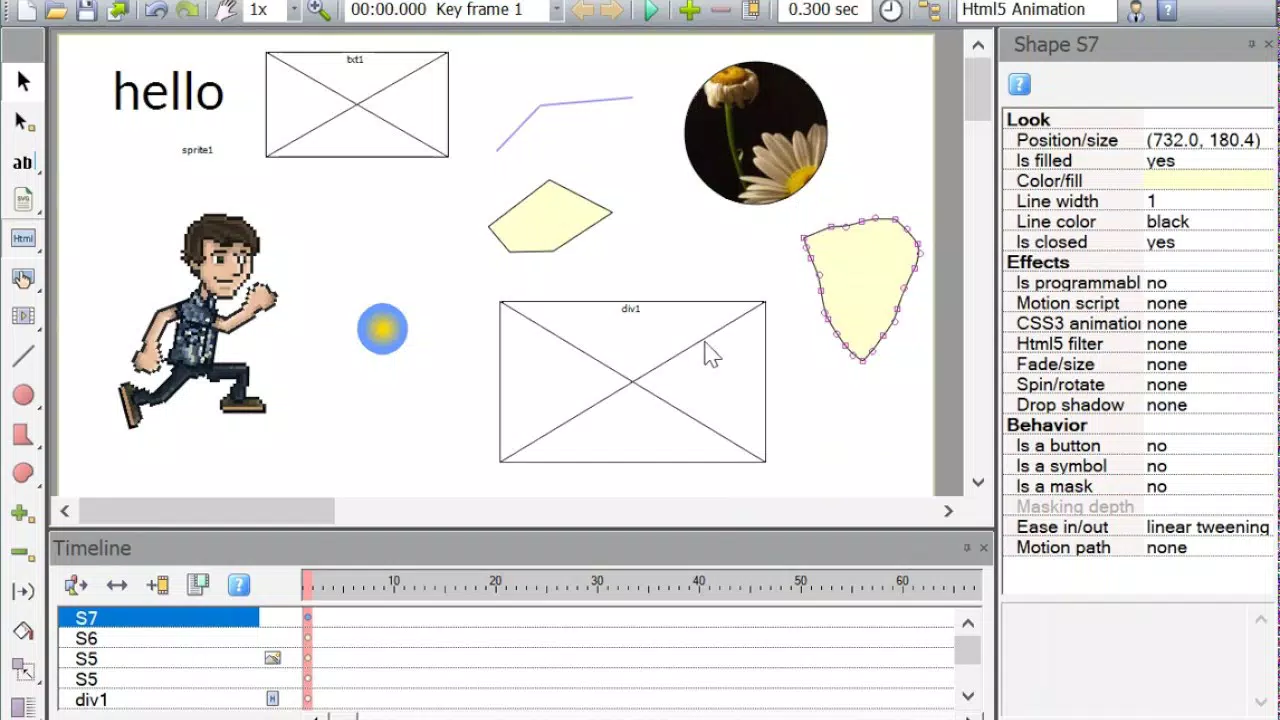
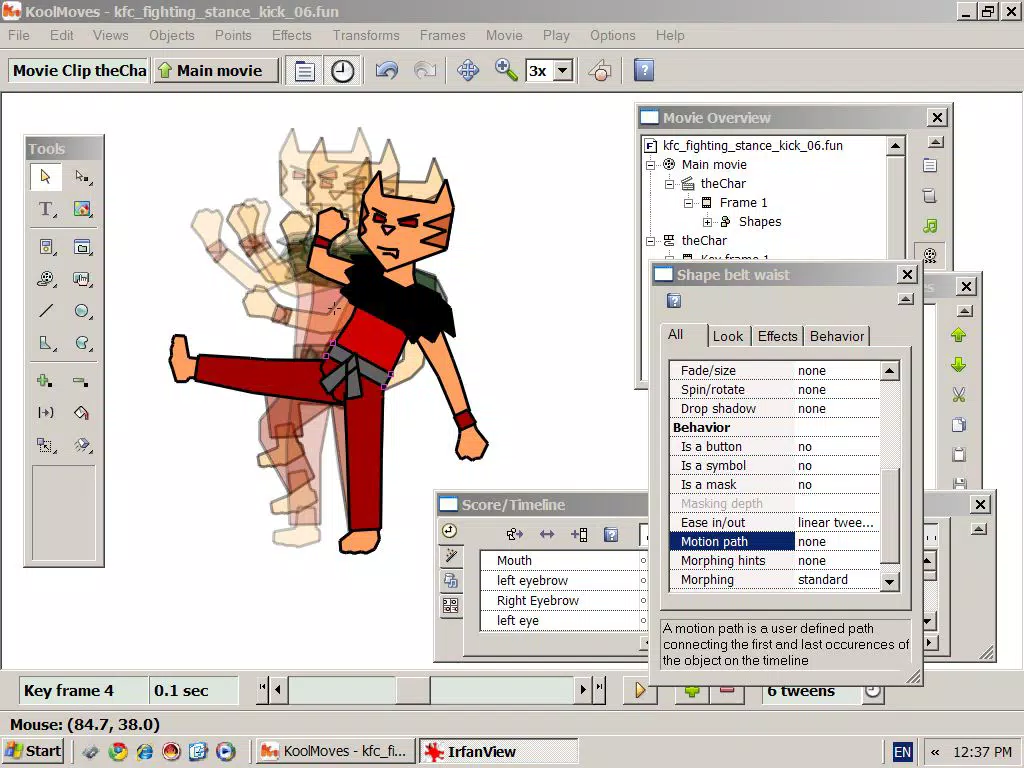
KoolMoves delivers a suite of features tailored to simplify and enhance the animation creation process. The user-friendly interface is designed to reduce the learning curve, allowing users of all skill levels to navigate tools and timelines intuitively. This enables faster project development and greater creative focus. The app provides access to a wide range of animation effects, including transitions, motion paths, and timing controls, which can be applied with minimal effort to bring static content to life. An extensive library of clip art, text effects, and pre-designed elements supports rapid prototyping and visual enrichment. These resources help users add professional polish to animations without needing to source external assets. The app also supports multiple export formats, including animated GIFs, AVI/MP4, SWF, HTML5 with jQuery Mobile widgets, and Jssor-slider slideshows. This versatility ensures compatibility with modern web standards and various content delivery platforms. A standout feature is the Android mobile app export wizard, which simplifies the process of converting animations into standalone Android applications. This functionality allows users to distribute interactive content beyond the web, reaching mobile audiences directly. For example, a marketing team could create an animated product demo and export it as a mobile app for on-the-go client presentations. Similarly, educators might use the app to develop interactive learning modules that function both on desktops and mobile devices.Interface, UX & Performance
The interface of KoolMoves is structured around usability and visual clarity, featuring a layout optimized for mobile touch interaction. Tools are logically grouped, with accessible menus and intuitive drag-and-drop functionality, which enhances the overall user experience. Navigation is streamlined, allowing users to move between timelines, asset libraries, and export settings with minimal taps. The visual style emphasizes clean lines and consistent iconography, contributing to a professional and focused workspace. Although the developer did not list formal performance metrics, the app’s 15.8 MB size suggests efficient resource usage, which may contribute to smooth operation on a range of Android devices. Users can expect responsive feedback during animation editing, with minimal lag during basic to moderate tasks. Stability appears to be a priority, as the app is designed for continuous workflow without frequent crashes or freezes. However, specific performance benchmarks across device categories were not disclosed. The app maintains consistent responsiveness across different screen sizes and resolutions, a crucial factor for mobile users. While detailed testing across older or low-end devices was not provided, the lightweight design implies broad compatibility. The absence of reported issues in the release notes indicates a stable initial build. Overall, KoolMoves balances functionality with usability, offering a dependable environment for animation creation on mobile platforms.Platform Compatibility & Technical Requirements
KoolMoves is available exclusively on the Android platform, making it accessible to users of Android smartphones and tablets. The app requires Android OS version 5.0 or higher, though specific requirements were not fully disclosed by the developer. It has a file size of 15.8 MB, which is relatively compact, indicating efficient code and minimal bloat. This size supports quick installation and low storage consumption, ideal for users with limited device space. The app’s software version is 1.0.0, indicating it is a first official release. As such, users should expect a foundational feature set with potential for future updates. The developer did not specify minimum RAM, processor, or GPU requirements, nor did they detail compatibility with specific device models. However, the lightweight footprint and focus on mobile-friendly outputs suggest broad compatibility with mainstream Android devices.Pros and Cons
- Intuitive interface suitable for beginners and professionals alike
- Supports multiple export formats including HTML5, GIF, SWF, and Android apps
- Includes extensive libraries of clip art and text effects
- Streamlined Android app export wizard for mobile deployment
- Compact file size (15.8 MB) for efficient installation
- Price point of $19.99 may be high for casual users
- No public information on update frequency or future roadmap
- Compatibility with older Android versions not confirmed
- Developer did not provide detailed performance or system requirements
- Limited availability—only on Android, no iOS version announced


